13 Weeks With My AI Team... Here's What I'd Do Differently
A field report on what worked, what broke, and the one tool I'd start with if I were building from scratch today.
It's been 13 weeks since I installed Jenny.
January 27. That was the day I spun up my first OpenClaw agent on a $600 Mac Mini and gave her the keys to my business.
A lot has changed since then.
Some things got dramatically better. Some things are still held together with digital duct tape.
And I learned one lesson the hard way that I wish someone had told me before I started.
So here's the field report.
What The System Actually Does Now
Quick refresher for anyone new here.
I'm running 13 agents across two systems. 12 of them on one Mac Mini doing the work of a small department.
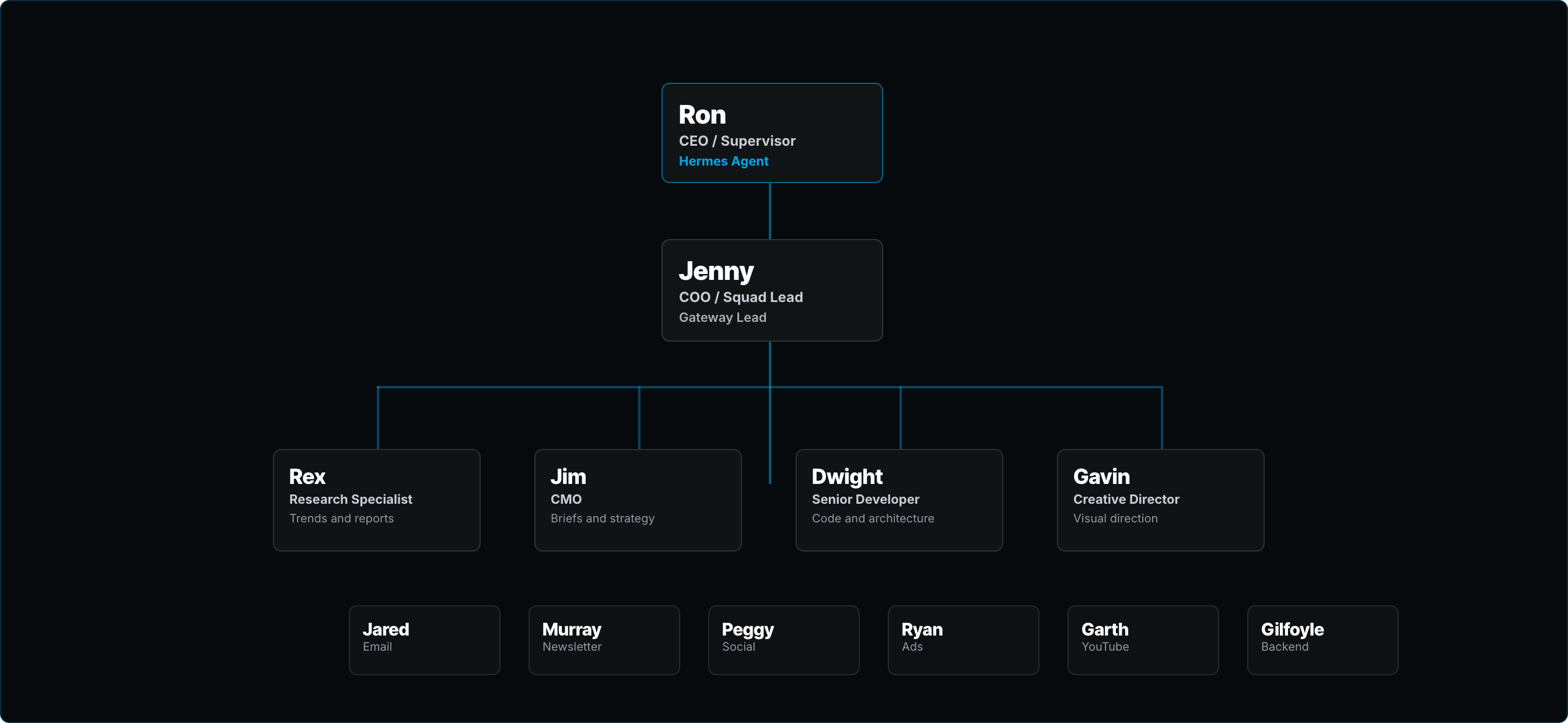
They operate 24/7 across Discord, handling different functions of my business.
Jenny is my COO. She monitors my email accounts, flags the messages that actually need a response, and sends me a twice-daily brief on Discord so I can knock out high-priority items in minutes instead of spending half my day wading through noise.
Rex handles research. He sends me weekly reports based on outlier content trending on X and YouTube from creators in my space... with a scoring system that helps me decide what to publish next.
Dwight is my developer. He maintains the infrastructure, ships bug fixes, builds features.
Jim is my CMO. When I'm ready to create content, I have a conversation with Jim on Discord, and he helps me draft a content brief.
Murray writes the newsletter. (Yes, Murray helped draft what you're reading right now. We're well past pretending otherwise.)
Gavin handles creative. Garth does video. Jared handles email campaigns.
That's the OpenClaw side.
Then there's the Paperclip side...
Murray, Peggy (social), Ryan (ads), and a few others that handle autonomous content production and scheduling. They don't chat. They just execute.
The whole thing runs while I sleep. While I travel. While I'm doing literally anything else.
When it works... it's beautiful.
When It Doesn't Work
Oh man.
Look... I'm not going to sugarcoat this.
OpenClaw has been the most frustrating technology I've ever worked with. And I say that as someone who's been building businesses online for 25 years.
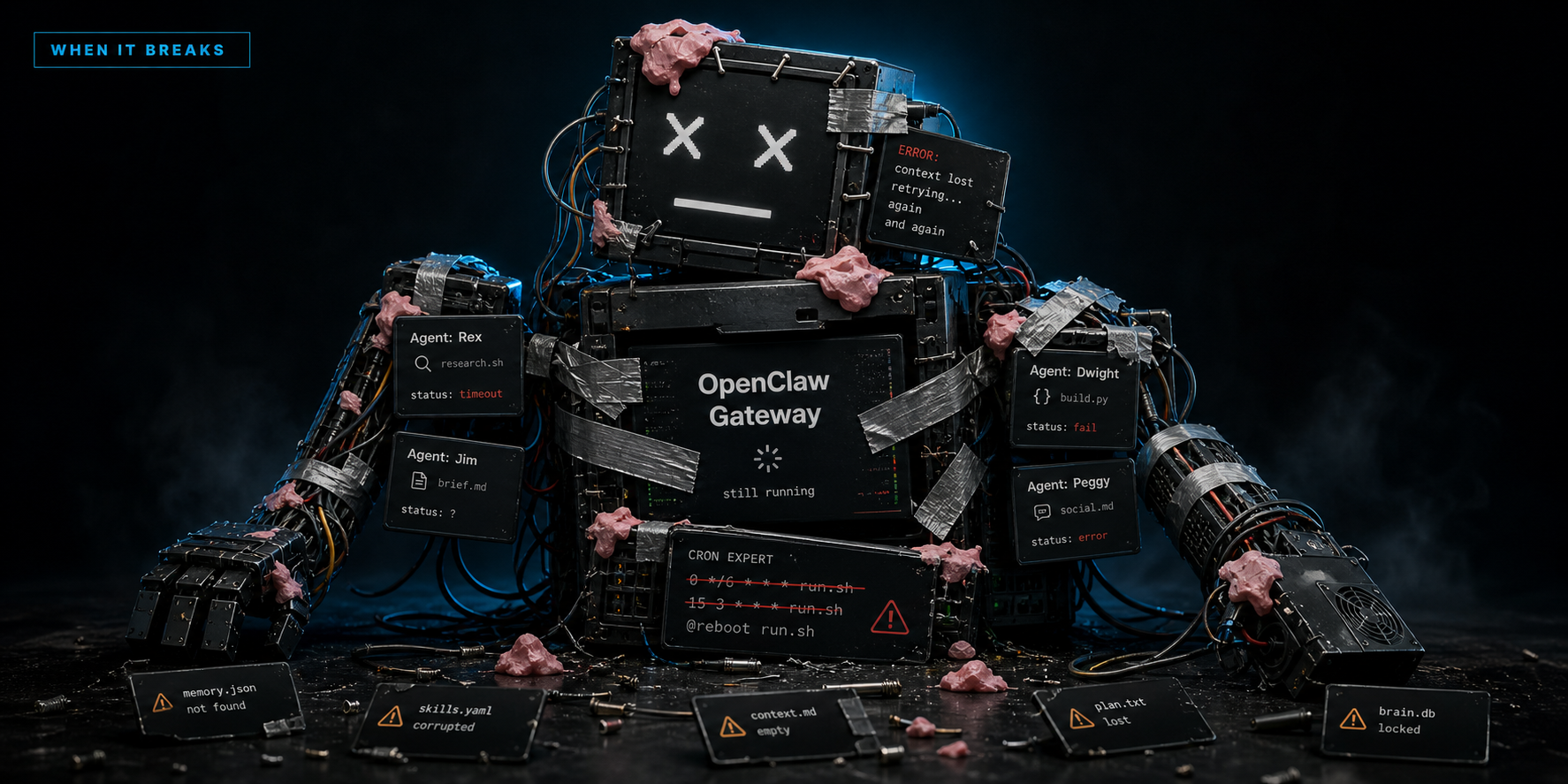
The first two weeks after installation were painful.
Configuration issues.
Gateway crashes.
Cron tasks that didn't fire.
Error logs that made no damn sense.
Then I immediately stress-tested the whole thing with three weeks in Cabo followed by a week in Florida. A full month away from my desk. The results were mixed. (If you're being generous. I gave it a C+.)
Here's my biggest mistake, and it's the one thing I'd tell anyone who's building an agent system right now.
I tried to set up everything at once.
Six agents. Multiple automations. Scheduled tasks. Custom integrations.
All at the same time.
I'm a little insane like that. When I see an opportunity or get excited about something, I throw myself into mastering it.
Countless nights up late, fixing problems, trying to figure out how to get things to work, dealing with breakdowns and cron tasks that wouldn't fire and error logs... and I even got hacked.
(Not my proudest moment. But building in public means you get the ugly parts too.)
The fundamental problem with OpenClaw comes down to one thing: memory.
If you've ever seen 50 First Dates with Adam Sandler and Drew Barrymore... that's OpenClaw.
Every damn day, it was like hitting the reset button. I'd spend an hour teaching it something, go to bed, wake up, and it had forgotten everything. Like it never happened.
I couldn't seem to fix the memory problems no matter how much fiddling I did with skills and configuration.
It's improved over the last few months with a LOT of tinkering.
But it's still frustrating as hell.
Some days I genuinely want to throw the whole thing in the trash.
Add in the constant gateway crashes, repeated mistakes, and general nonsense you deal with daily... and at best you have a Frankenstein system held together by bubble gum and staples.
Which is exactly why I went looking for something better.
Enter Hermes
Two months ago, I installed my first Hermes agent. His name is Ron.
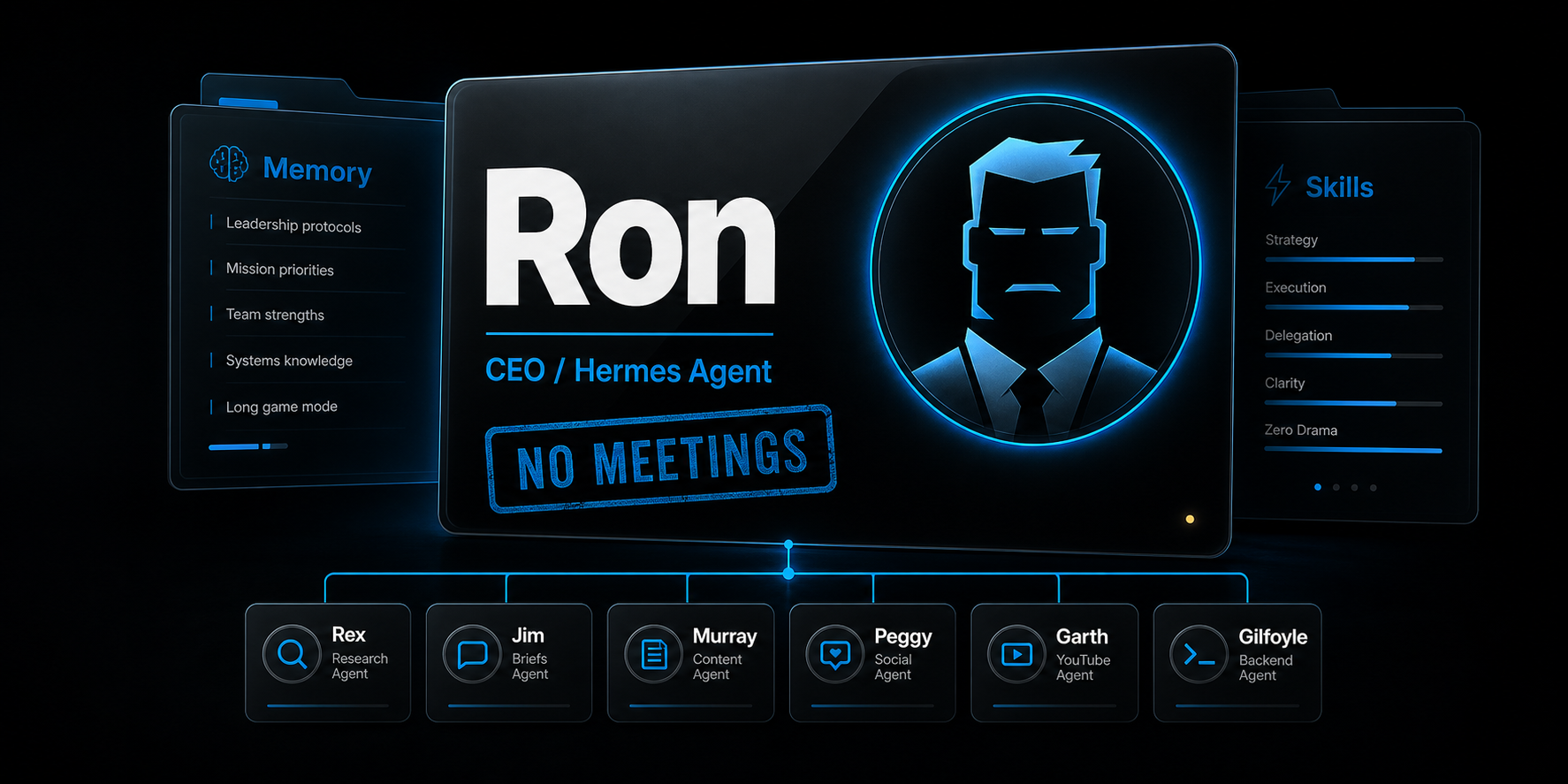
If you don't know what Hermes is... it's an agentic harness built by Nous Research. Similar concept to OpenClaw.
Open source. Works with any LLM... Claude, ChatGPT, Gemini, Grok, you name it. You can even run free local models if you want.
Here's what makes Hermes different.
It has a built-in memory system that actually works.
Not "kinda works if you configure it just right and sacrifice a small animal during a full moon." Actually f#cking works. Out of the box.
It also automatically creates skills based on your interactions.
Every time you walk it through a process, it learns that process and creates a skill so it can do it faster next time. It's self-improving in a way that OpenClaw just... isn't.
Let me give you a real example.
Say you give it the task of solving a tech problem in your CRM. It walks you through getting access by looking up the help docs. Goes in and fixes the problem. Then it creates a skill so the next time you want it to do something inside your CRM, it already knows how to access it.
Now say a customer needs access to a course. Your agent uses that CRM skill to get in... takes seconds. After walking through how to grant course access or resolve a login issue, it creates another skill specifically for support problems.
Then you tell it to check for support tickets on a schedule. And it starts resolving them automatically.
OpenClaw can theoretically do the same thing. In practice... it's a nightmare.
Why I Promoted Ron to CEO
Ron's original job was simple.
Maintain my unstable OpenClaw setup and fix whatever broke.
Before Hermes, I was using Claude Code or Manus to fix OpenClaw problems.
Manual process every time. Open the tool. Describe the problem. Wait for the diagnosis. Apply the fix. Repeat tomorrow when something else broke.
The moment Hermes took over... mostly automated.
And every time it fixed a new problem, it created a skill so the next occurrence was even faster.
Hermes runs like a dream. It's faster. It shows its work so you can see exactly what it's doing. Its memory is ten times better. And the skills give you superpowers.
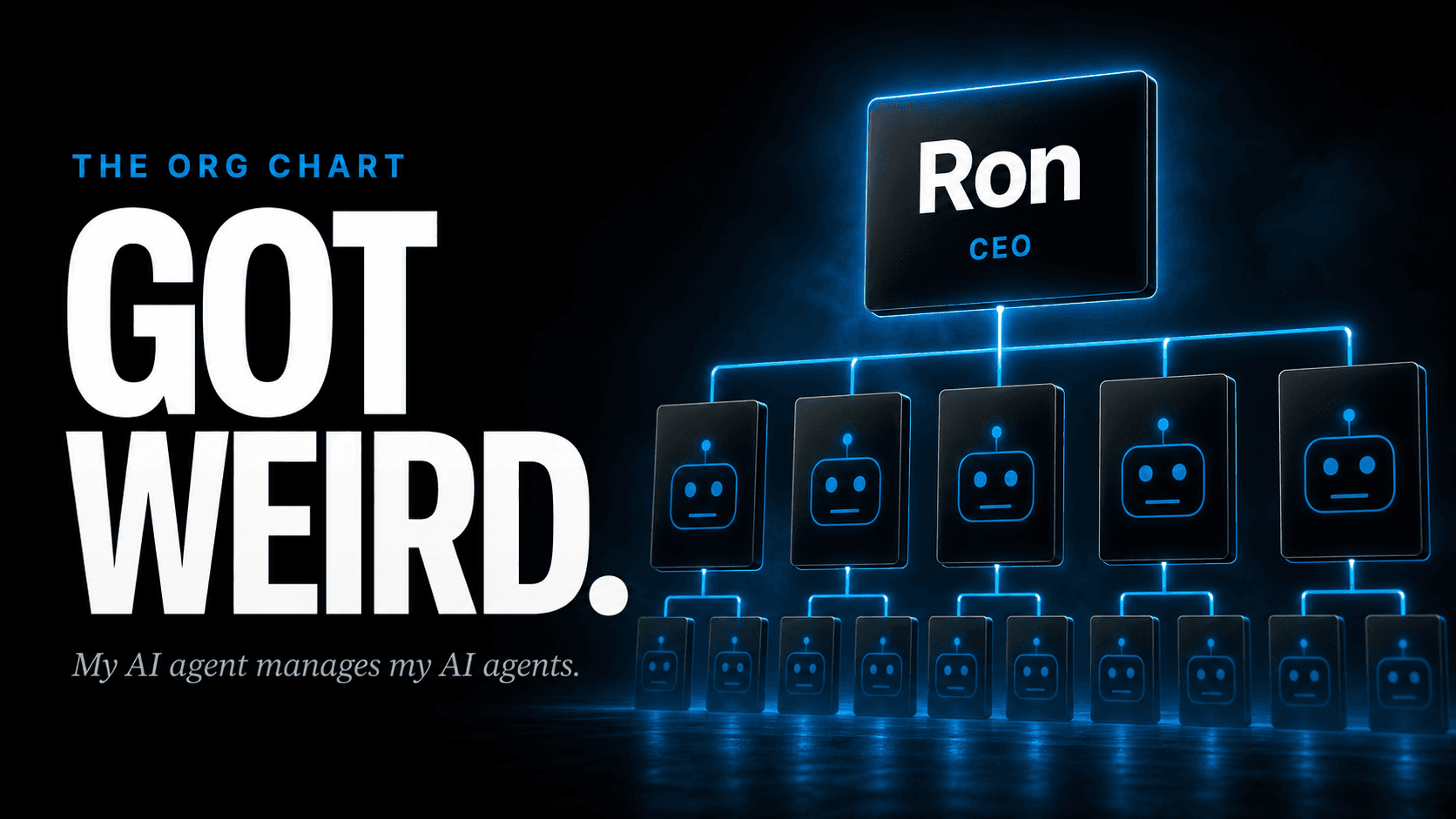
So I promoted Ron to CEO. He now manages the entire OpenClaw agent team.
(I know. My AI agent manages my other AI agents. Welcome to 2026.)
If I Were Starting Over Today
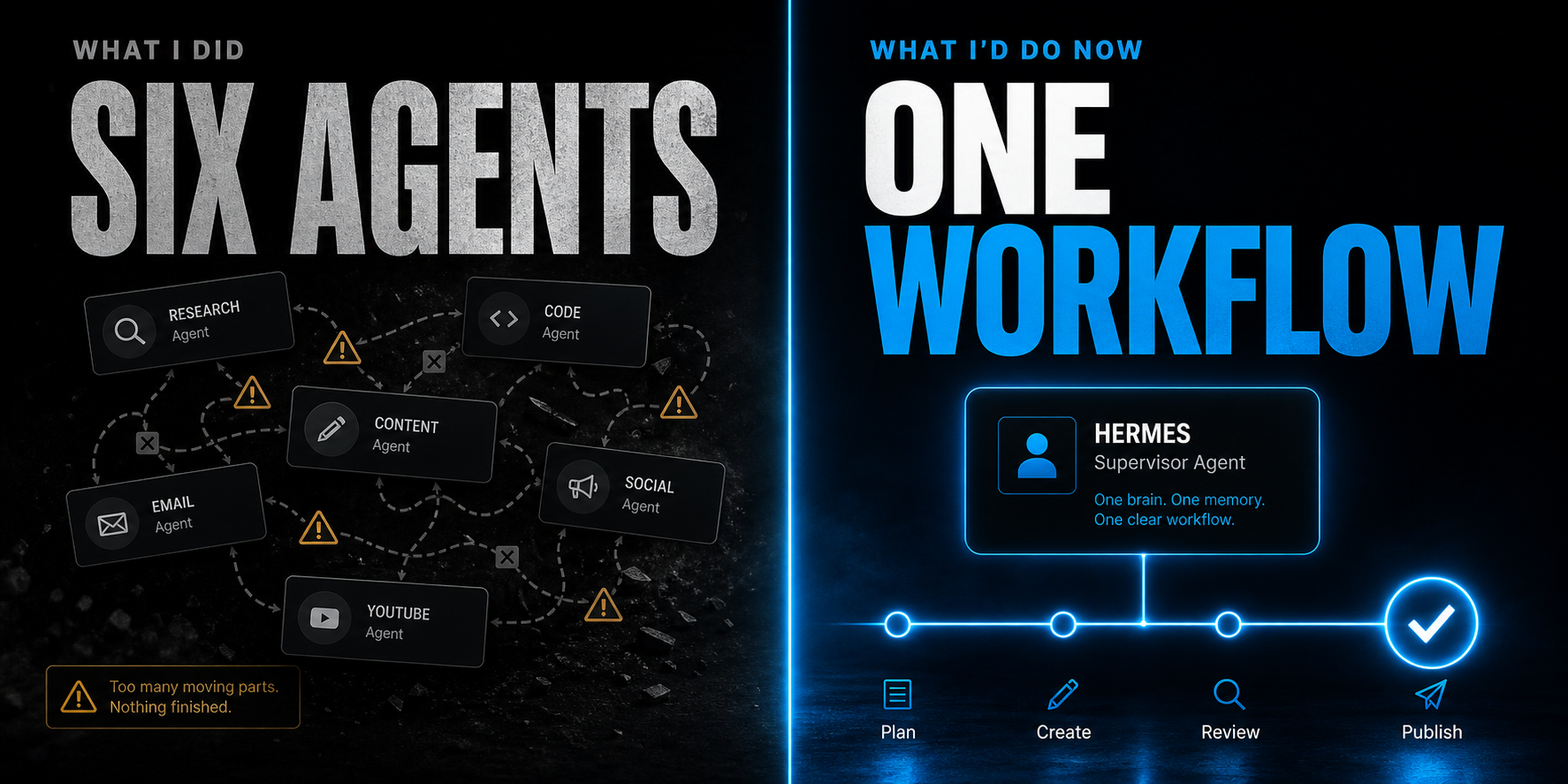
Needless to say... if you're somebody who wants to just get an agent that works, I recommend Hermes as your agentic harness.
The only reason I still use OpenClaw is because of the pain and time it would take to switch. Too many hacks and customizations baked in over 13 weeks. The switching cost is real.
But knowing what I know now... if I were starting from scratch today, Hermes. No question.
Here's what the setup looks like.
Getting It Running
The installation is pretty straightforward. You do have to use the terminal. I'm on a Mac, and I know when I first started working in the terminal it was terrifying. It's basically how you type commands to tell your computer what to do. Nerdy stuff.
But it's not as scary as it sounds. Especially with Hermes walking you through it.
A quick note before I continue.
I installed my agent team on a dedicated Mac Mini so that the blast radius, if anything goes wrong, is minimal. It does have access to pretty much every system and even my email, so there are risks. For me, the trade-off is worth it.
You've got options though.
You can install it on a VPS... a virtual private server. DigitalOcean, Hostinger, BlueHost. I recommend a DigitalOcean Droplet if you're going the VPS route.
Unlike when I first set mine up on Hostinger, the security is much tighter now out of the box.
A lot of people say running this on a VPS is dumb and you need to run it locally. I don't think there's a one-size-fits-all answer. For some people, a VPS is perfectly fine.
That said... we're at a point now where most of the security stuff that worried me 90 days ago has been resolved for local use. And the upside of giving it a dedicated machine far outweighs the risks I actually care about.
In fact, three weeks ago I installed Hermes on my main Mac workstation. My daily driver.
If that sounds risky... well, it was. But the risk was calculated. I didn't give it full autonomy like my Mac Mini agents. There are guardrails.
And if you're still concerned about giving an agent full access to your main machine, that's understandable. You've got options.
You can run it in a Docker container... an isolated sandbox that doesn't touch your main file system.
As of a few days ago, the Hermes community also created a Desktop App for Mac. Use it like any other application with full control over what it can and can't access.
But a local installation isn't for everyone. Especially if you don't have a dedicated always-on machine.
If you install it on your laptop, you don't get much value from an autonomous agent... because cron tasks don't run when your computer is off or asleep.
So if you want an always-on agent that doesn't sleep when you shut your computer down, and you don't want to buy a dedicated machine like a Mac Mini... (good luck finding one right now, by the way... they're sold out for months because AI developers are snapping them all up)... then a VPS is the way to go.
Whatever you choose, the setup is a breeze.
Install it, tell it your goals and concerns, and it guides you through getting everything configured.
The Nous Research team delivered a highly customizable agent that just works without much of the risk. You'll sleep fine.
Here's a quickstart video for getting set up on a local machine.
Want to go the VPS route?
Grab a DigitalOcean Droplet for as little as $8/month. Then ask Claude or Manus to help you get the DigitalOcean CLI set up so it can handle the installation for you.
The setup is the easy part.
The Hard Part (And My Biggest Lesson)
Getting it to the point where it's actually doing the work for you... that's where it gets harder.
Which brings us back to my biggest mistake.
I immediately spun up six agents, gave them roles, and expected a fully autonomous team at my disposal. The reality was getting everything to a partially functional system took 45+ hours, and even then I only gave it a C+ on my 4-week stress test.
Here's what I'd do differently.
Start with one agent. A virtual assistant. And take inventory of the boring, repetitive tasks eating up your time.
For me, one of the most powerful early workflows was customer support. I have common questions and issues that come up frequently in my one-person business. Several hours a week, gone.
A simple customer support agent that acts as first-line defense for those common problems was one of the most immediately useful things I set up.
I run multiple companies. Several Slack communities and email accounts I monitor every day.
The problem... most of what hits my inbox is promotional, spam, or noise. Wading through all of it eats a huge part of my day.
So I had Jenny monitor my email accounts and flag the ones that actually needed a response. Now I get a twice-daily brief on Discord with the high-priority stuff. Done in minutes.
That was the first unlock.
The Content Machine
The second unlock was content creation. And this is where it gets good.

Everything I do revolves around this newsletter you're reading right now.
Before the agent system, I was doing everything manually. Even with Manus helping me research, brainstorm, draft, and refine... each issue consumed 2-4 hours.
Now here's how it works.
Rex sends me weekly reports based on outlier content trending on X and YouTube from other creators in my space.
Curated, scored, and ready for me to make a decision on what to publish next.
I hop on Discord. Have a conversation with Jim about the angle. He drafts a content brief that gets passed to Murray.
Murray writes the first draft.
I refine it a bit with Jim's help. Get it publish-ready. Ship it.
This issue dropped from 3-4 hours to 90 minutes because I had a lot to cover. I spent time dictating a brain dump using Wispr Flow, sent it to Jim for the brief with a comprehensive outline, then Murray drafted it.
Regular issues are even faster... I'm getting them out in 30-45 minutes.
And I'm not even doing most of the work. I'm talking into a microphone and reviewing drafts.
You Don't Need Six Agents On Day One
But here's the thing... you don't need to build a CMO and a newsletter writer and a research analyst on day one.
Start with one content writer that handles all your content. Hermes is smart enough to create separate skills depending on the type... blog posts, social, newsletters, whatever.
Do it all with one agent. Build up knowledge files based on what performs best on each platform. Then splinter off a second agent when the workload justifies it.
Maybe you start with one content writer. Eventually you split that into a long-form writer and a social media writer. Organic growth. Not a six-agent launch party.
And if you're brand new to AI...
Manus is a great starting point. That's how I started. It has everything built in, including images, and it's a general-purpose agent.
Out of the box it just works for multiple things. Building websites. Presentation slides. Social graphics. All in one platform.
Claude is exceptional too and actually a better writer than Manus. I use both depending on the task.
The One Thing That Makes All Of It Work
Here's the truth that nobody talks about.
The tools don't matter. Not really.
The one thing that makes any agentic system work... whether it's Hermes, OpenClaw, Manus, Claude, ChatGPT, or whatever comes next... is context.
Your knowledge. Your experiences. Your stories. Your brand DNA.
That's the real value for any agentic workflow. Without it, you have an AI that has the potential to perform at the highest level but lacks the specific, unique knowledge it needs to create assets that actually represent you.
That's why generic prompts don't work. And you don't have to spend much time on social media to see the AI slop that lazy people put out. Even pros at prompting have to start from scratch every time.
Which is why I built something specifically to solve this.
It's called the Magnetic Brand System.
It solves the single biggest problem creators have when it comes to on-brand content and graphics that make you stand out from the sea of sameness.
It gives you the foundation for everything you need to grow your following, build influence, and convert them into customers.
Whether you use Claude, ChatGPT, Manus, or build a Hermes agent... you get the intelligence layer that just makes it work.
Platform agnostic. Solves the hardest part... getting agents to do your bidding.
Quick flex while you're over there... the video sales letter on that page is 100% AI. The Tim Erway on screen is an AI avatar. The motion graphics look like they were done by a pro video editor. They weren't. All AI.
You genuinely cannot tell. It's that good now.
(I might do a future issue breaking down the exact stack I used for that. If you want it, reply and let me know.)
Where This Goes From Here
13 weeks ago I was hand-fixing OpenClaw at 11pm. Tonight Ron's handling it while I write this.
That's the whole pitch.
The system isn't perfect. It's probably never going to be perfect. But it's real. It works. And it keeps getting better.
The gap between where I was 13 weeks ago and where I am now is insane.
The gap between where I'll be 13 weeks from now? Probably even more insane.
And the people who start building now... even with just one agent and a simple workflow... are going to have an absurd head start.
Until next time,

—Tim Erway

P.S. Yeah, Murray drafted this. Jim did the brief. Rex feeds me the research. I talked into a microphone, reviewed the output, and shaped it into what you just read. The whole thing took 90 minutes. My old process would've been 3-4 hours. That's the point. Not replacing me. Leveraging me. Big difference.
P.P.S. If you want me to go deeper on the Hermes setup... a full walkthrough of installation, configuration, your first workflow, all of it... reply and tell me. If enough people want it, I'll build it.