The Ultimate Guide To Building Your Agentic Business Brain
Six plain-text files that give every AI agent your voice, customers, offers, stories, and a clear path to finished work.
Today's letter is going to be absolute gold. Because we're going to solve a major problem.
One that plagues just about everyone who's ever tried to use ChatGPT to create anything. (Or Claude, Manus, Hermes, Grok Bot, etc.)
The problem: AI is like a drunk 11-year-old with a 400 IQ.
It's a brilliant savant that has access to all the information on the internet. Yet when you try to get it to do important tasks for you, it stumbles around like a drunk idiot.
It remembers dumb stuff like your dog's name, but it forgets important shit like how to write content in your voice, or create graphics in your brand's style.
Every damn time you want to create anything, it feels like you're starting from scratch, or you need some elaborate prompt to get anything halfway useful.
And if you do manage to get something decent, you gotta go back and forth yelling at it to fix stuff you've already fixed ten times before.
If you've struggled with this like I have, you know how infuriating it can be.
Well, that ends today...
Because in this ultimate guide, we're going to build the AI infrastructure that makes sure every conversation, task, and workflow starts with the information it needs.
You'll get better output, stop repeating the same corrections, and get to “finished” in less time without having to babysit the whole damn process.
HOT TIP: Give this article to your agent and have it help you set up your agentic business brain in under an hour. I've included all six starter templates and a setup prompt you can copy below.
What an agentic business brain is, and why you want one
OK, first things first…
An agentic business brain is a central folder of plain-text files that explains your business to your AI agents.
It tells them how you sound, who you serve, what you sell, which stories are true, what your best work looks like, and how your brand should look. Instead of cramming all of that into a long prompt every time you open a new chat, the agent reads the files before it starts working.
That central location matters because I've seen what happens when every tool, project, and agent has its own little pile of context.
One knows the offer. Another has an old voice guide. A third remembers a correction from last week, but the other two don't...
...so you wind up copying information between them and reminding each one what to do next.
I've run this with a lot more than one chatbot. I own three AI-first companies, and TimErway.com is me plus AI agents. At the height, I had 13 agents and launched six at once in January.
The brain is the shared infrastructure underneath all of them.
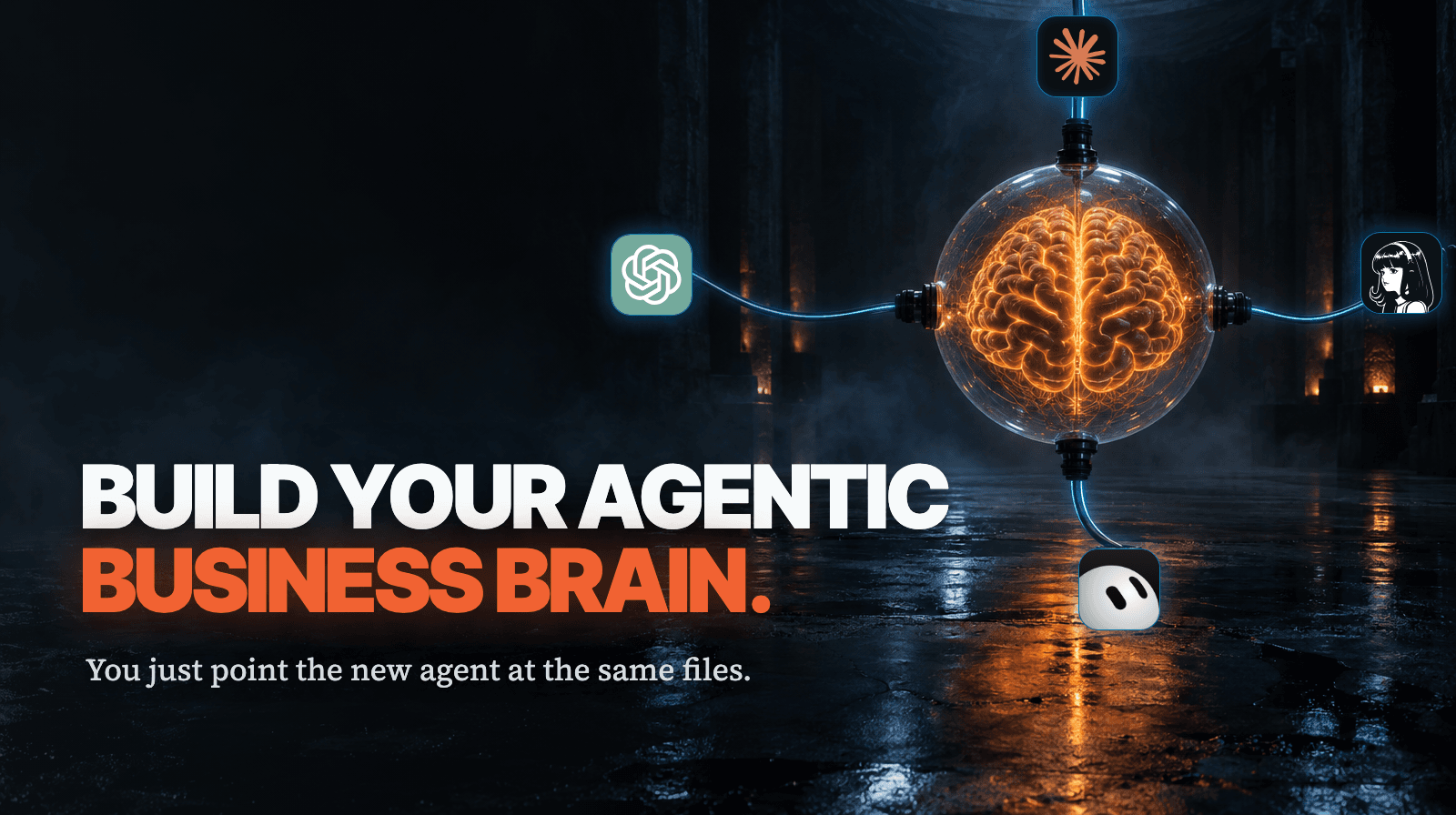
When you switch from ChatGPT to Claude, or from whatever you're using now to the shiny new thing everybody is yelling about next month, you don't rebuild your business inside the new tool. You just point the new agent at the same files.
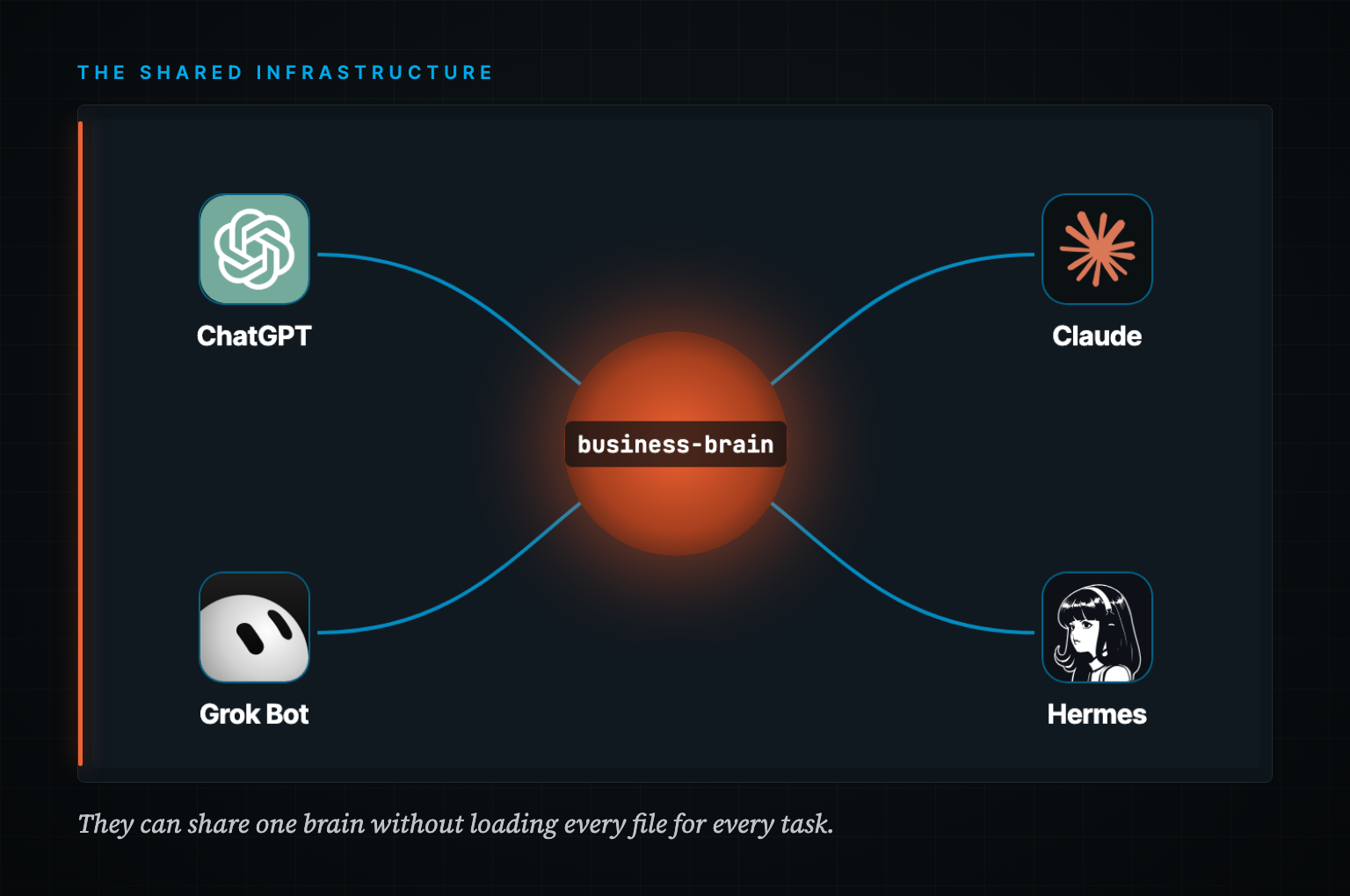
The tool is rented. The brain is owned.
It also gets smarter as you use it. If an agent writes something that sounds fake, don't just fix the sentence and move on:
Save the correction.
Put an avoid/prefer pair in your voice guide.
Add the lesson to a lessons file.
Give it the approved final version when the work is done.
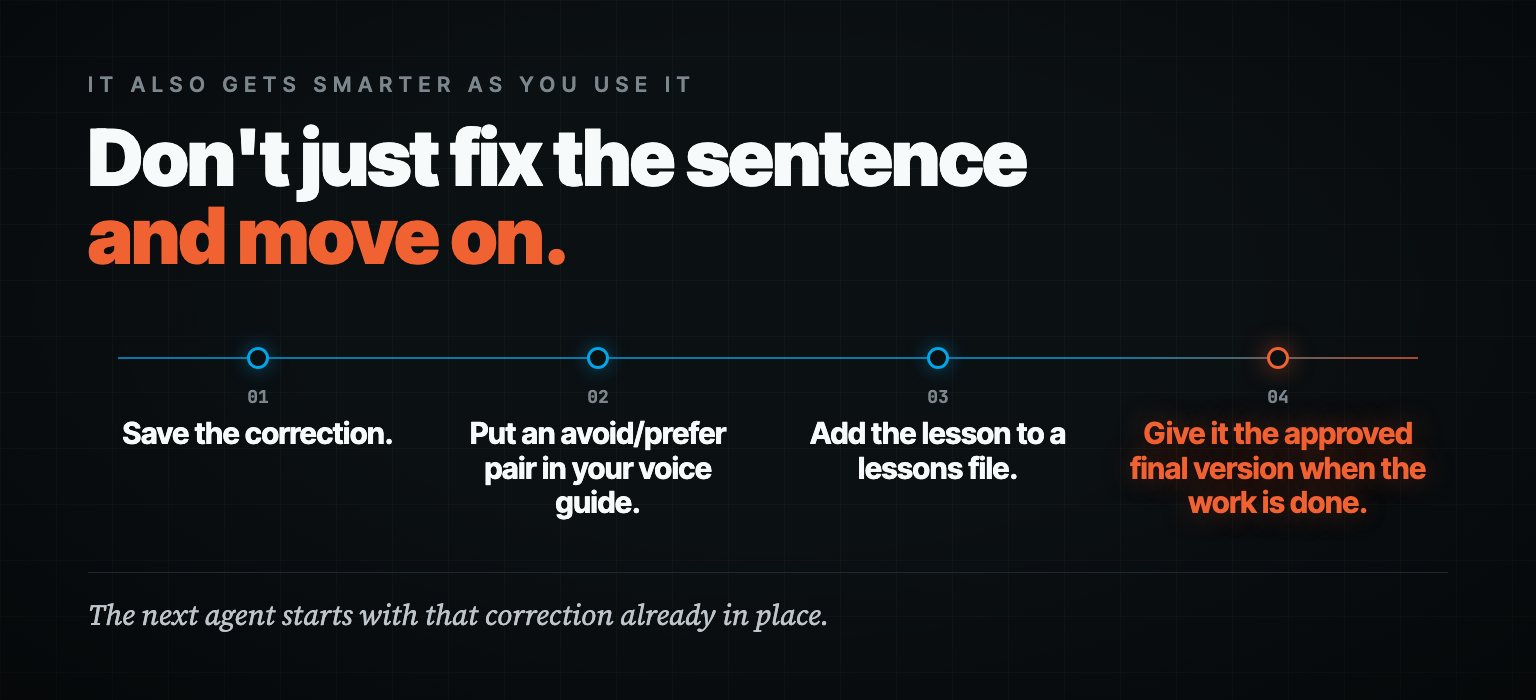
The next agent starts with that correction already in place. That's how you stop teaching the same lesson ten times and turn normal day-to-day work into a system that keeps improving.
The 6 plain-text files every brain needs.
You don't need to document your entire company before this gets useful.
Start with these six. Together they answer the basic questions an agent can't figure out on its own.
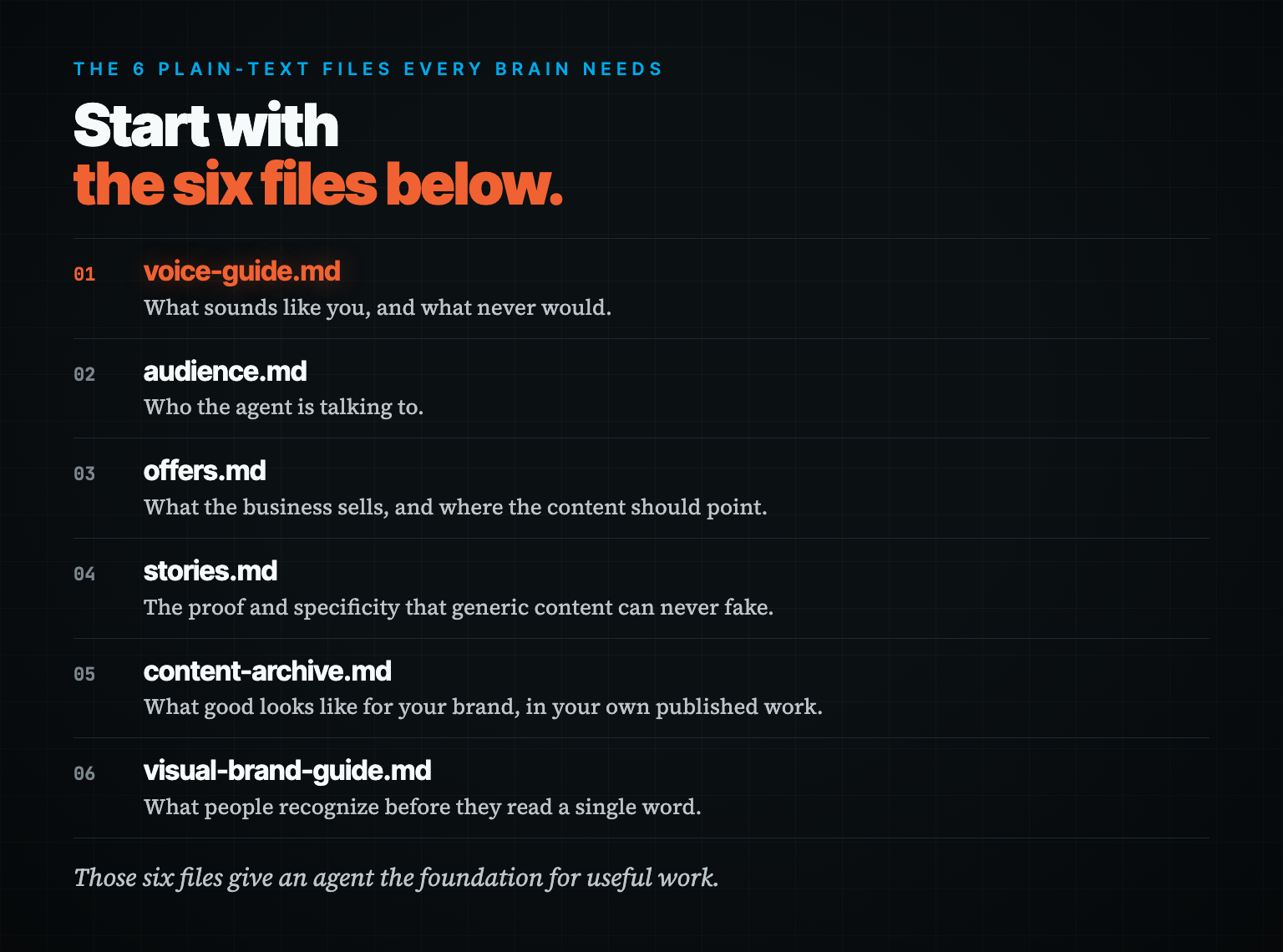
And I'm not just gonna describe them. Here's the actual starter template for each one. Copy it, paste it into a blank file, fill in the blanks.
1. voice-guide.md
What sounds like you, and what never would.
How you talk, the words you use, the words you hate, your sentence rhythm, and the editing rules that matter.
Add three to five strong published pieces in full. Rejected drafts help too, as long as you say what was wrong with them.
This file keeps “make it conversational” from turning into whatever the AI thinks conversational means that day.
# Voice Guide

## How I sound
Three sentences describing what a reader hears.

## Rhythm
Typical sentence length. Paragraph length. Where I break my own rules and why.

## Words I use
List them. Ten is plenty to start.

## Words I never use
List them. Be specific. "Delve", "unlock", "in today's fast-paced world".

## Strongest writing
Paste three published pieces in full. Not excerpts.

## Rejected writing
Paste two drafts I killed. One line each on what was wrong.

## Editing rules
1.
2.
3.
2. audience.md
Who the agent is talking to.
Describe your customers in language a stranger could act on. What they want, what they're afraid of, what they're sick of hearing, what they'll resist.
Without this file, the agent writes for a vague crowd of “busy professionals.”
Nobody wakes up excited to read something written for busy professionals.
# Audience

## Who they are
One paragraph. Role, stage, situation.

## What they want
The outcome in their words, not mine.

## What they are afraid of
The thing they will not say out loud.

## What they are tired of hearing
Every claim that has stopped working on them.

## What they secretly believe
Including the beliefs that are wrong.

## What they will resist
The true thing they do not want to hear yet.

## Buyer vs browser
What is actually different about the ones who pay.
3. offers.md
What the business sells, and where the content should point.
Each offer, its price, who it's for, who it isn't for, the promise, and the objections people actually have.
This is also where you stop an agent from dragging an expired price or an old promise into a new sales email.
# Offers

## Offer 1: [name]
- Price:
- For:
- Not for:
- Core promise:
- Mechanism (why it works):
- Top three objections:
- Where content should point people:

## Offer 2: [name]
Same shape.

## CTA rules
Which topics point at which offer. What never gets a pitch.
4. stories.md
The proof and specificity that generic content can never fake.
Origin stories, failures, wins with real numbers, customer examples with permission, odd little details.
This is what makes your content yours instead of a cleaned-up summary of what the internet already knows.
Don't let the agent invent a personal story because the outline says the opening needs one. Give it real material.
# Stories

## Origin
How this actually started. The unflattering version.

## Failures
One heading per failure. What it cost. What it taught.

## Wins
Real numbers. Dates. What made the difference.

## Customer stories
Name (or initials), situation, what changed, permission status.

## Weird details
Small specifics nobody else can claim.

## Lessons I repeat
The five things I say over and over.
5. content-archive.md
What good looks like for your brand, in your own published work.
Final newsletters, your strongest posts, headlines that worked, openings you like.
Final versions only. Save rough drafts in here and you're teaching the agent to repeat work you already decided wasn't good enough.
# Content Archive

## Newsletters
Paste or link the published version. Newest first.

## Best social posts
The ones that actually landed. Note why.

## Headlines that worked
A running list.

## Openings that worked
First two paragraphs only. This is the highest-value section.

Rule: published versions only. A first draft in here teaches the wrong thing.
6. visual-brand-guide.md
What people recognize before they read a single word.
Colors and hex codes, fonts, logo rules, graphic style, screenshot standards, image-prompt rules.
And a “never make it look like this” list, so every image tool doesn't wander back to the same purple-and-teal gradient slop.
# Visual Brand Guide

## Colors
Name, hex, and what each one is for.

## Fonts
Family, weights, what each is used for.

## Logo rules
Clear space, minimum size, what is never done to it.

## Graphic style
Flat or dimensional. Photographic or illustrated. Dense or sparse.

## Screenshot standards
Window chrome, background, crop, annotation style.

## Image prompt rules
The exact phrases every image prompt must include, and must exclude.

## Never make it look like
The list that stops every tool defaulting to purple-and-teal gradient slop.
That's the foundation. Six files.
Now, real talk... filling in blanks is the part where most people stall out.
So I made a free prompt pack that does it for you. Three interviews. You answer out loud, like you're talking to a friend, and the AI does the typing and fills in all six. Takes less than an hour, and it works in ChatGPT, Claude, Grok Bot, Hermes, or whatever you're using.
You've got the blanks. Want them filled fast?
Grab the free AI Business Brain prompts here.
How to go from 6 files to a working agentic brain.
OK, so you've got these six plain-text files. Now we're going to turn them into an agentic business brain and operating system.
They can live in Notion, Google Docs, or a regular folder on your computer. The important part is keeping them outside the AI tool, in files you control, where your agents can read them.
I recommend Obsidian. It's free, and it stores your notes as plain Markdown files in a folder on your computer called a vault.
That means you're not locking your brain inside Obsidian either. Any agent with permission to access the folder can read and write the same files.
Create a vault, add a folder called business-brain, and put the six files inside it. Ugly is fine. Two useful paragraphs beat six beautiful empty templates. (Paste in the starters above and start filling.)
Then give each agent access to the vault and tell it which files to read for its job.
A writing agent may need your voice, audience, offers, stories, and approved content. A graphic agent will care more about the visual guide and the specific project brief. They can share one brain without loading every file for every task.
Your vault can also hold a record of the work itself. In my setup, agents keep a draft and a status file for each piece of work.
That lets another agent see what was requested, what's finished, what still needs approval, and where the output lives. I don't have to remember which chat contains the last useful version.
Give your agent this article, point it at the folder you want to use, and paste the prompt below.
Help me set up an agentic business brain from this article.

Create one folder called business-brain and these six Markdown files inside it:
voice-guide.md
audience.md
offers.md
stories.md
content-archive.md
visual-brand-guide.md

Interview me to fill the files. Ask one clear question at a time and let me answer
in my own words. Do not invent facts, stories, prices, results, customer details,
or preferences. If something is missing, mark it for me to complete later.

When the six files are drafted, show me what is still incomplete. Then create a
simple work folder for agent tasks, with a draft file and a status file for each
piece of work, so any agent you give access to can see what was requested, what has
been completed, what needs approval, and where the final output is saved.

Do not publish, contact anyone, spend money, or change any outside system without
my approval.
That prompt gets you started. If you want the full interviews that fill all six templates for you, grab the free prompts here.
Before you hand over real work, open the files and read them yourself. Fix anything that sounds wrong. Then give the agent a repeatable job you already understand well enough to judge.
When it misses, save the correction. That's the part that makes the brain better next week.
Give each agent its own playbook.
These six files are your foundation. Now you have a central location that can be read and managed by any agent you give access to. The next layer is specialized knowledge for each role.
Here's a dumb one. My image agents kept handing me graphics on white backgrounds. I've never used a white background in my brand. Not once.
So I quit fixing it image by image. "Dark backgrounds only" went into my brand guide as rule number one, and now every agent that makes a graphic reads it before it starts.
Your business brain tells every agent the general truth about the company. Role-specific operating instructions tell each one how to do its particular job.
A long-form content agent needs your newsletter frameworks, research rules, editing process, and approved examples.
A social agent needs separate instructions for each platform because a Facebook post and a LinkedIn post shouldn't be the same draft with a few lines chopped off.
An email agent needs the way you write promotional emails.
An agent helping with sales letters needs your offer process, proof rules, and sales-letter frameworks.
This is where your six-file folder grows into something closer to a real operating system. You might add:
newsletter-workflow.mdfor turning an idea into an approved lettersocial-workflow.mdfor creating platform-specific posts from that ideapromotional-email-guide.mdfor launches and follow-upsales-letter-frameworks.mdfor longer sales copylessons.mdfor corrections that should apply to future work
You get that specialized knowledge by writing down the process you already use, saving the final examples you approve, and recording your corrections as clear rules.
If you have a checklist or framework that already produces good work, put it in the folder.
If an expert teaches you a better method and you have the right to use it, turn it into instructions your agent can follow.
Then make the agent read the relevant instructions before it starts, save its work in the agreed place, update the status, and check the result before calling the job finished.
You still make the calls that deserve your judgment. The agent handles the repeatable steps around them without asking you where the file goes every damn time.
Build your brain and Content Flywheel with me on Thursday.
In the past, I've shared how to do this in the Magnetic Brand System.
In the Content Flywheel Workshop, we're going to set the whole thing up together so you walk out with agents writing stuff you'd actually put your name on.
We're doing it live on Thursday, October 29 at 5 PM Eastern. It'll take about three hours, and it'll be recorded if you can't make it live.
We'll build your six-file business brain by interview, install Content OS, and use it to turn your idea into a newsletter in your voice and a week of posts written for the platforms where they'll appear.
Content OS runs on Claude Code, Codex, Hermes, or Grok Bot, and it never publishes on its own. You review the work and decide what goes out under your name.
You'll also get Creative OS for making graphics in your brand, my content frameworks, the install walkthroughs, and the recording.
The workshop is $197. Use the system to publish your first letter and a week of posts within 30 days, or ask for a refund and you'll get your $197 back.
If you want the same brain to help build the thing you're selling, Revenue OS is a $97 checkout add-on that writes your offers, webinars, and sales copy.
Whether or not you take me up on this workshop, I hope you’ll take the 30-45 minutes to build your agentic business brain. I promise it will be time well spent.
Until next time,
—Tim Erway

P.S. Workshop buyers get lifetime access and lifetime upgrades to Content OS and Creative OS for the one-time $197 workshop price. If you add Revenue OS at checkout, you get lifetime access and upgrades to that too.
After this, the only way to get these systems will be through Agentic Operators at $197 per month, and the upgrades stop if you stop paying.
You'll also get one month free of all my other operating systems, plus a founding-member discount on Agentic Operators before it launches to the public next month.