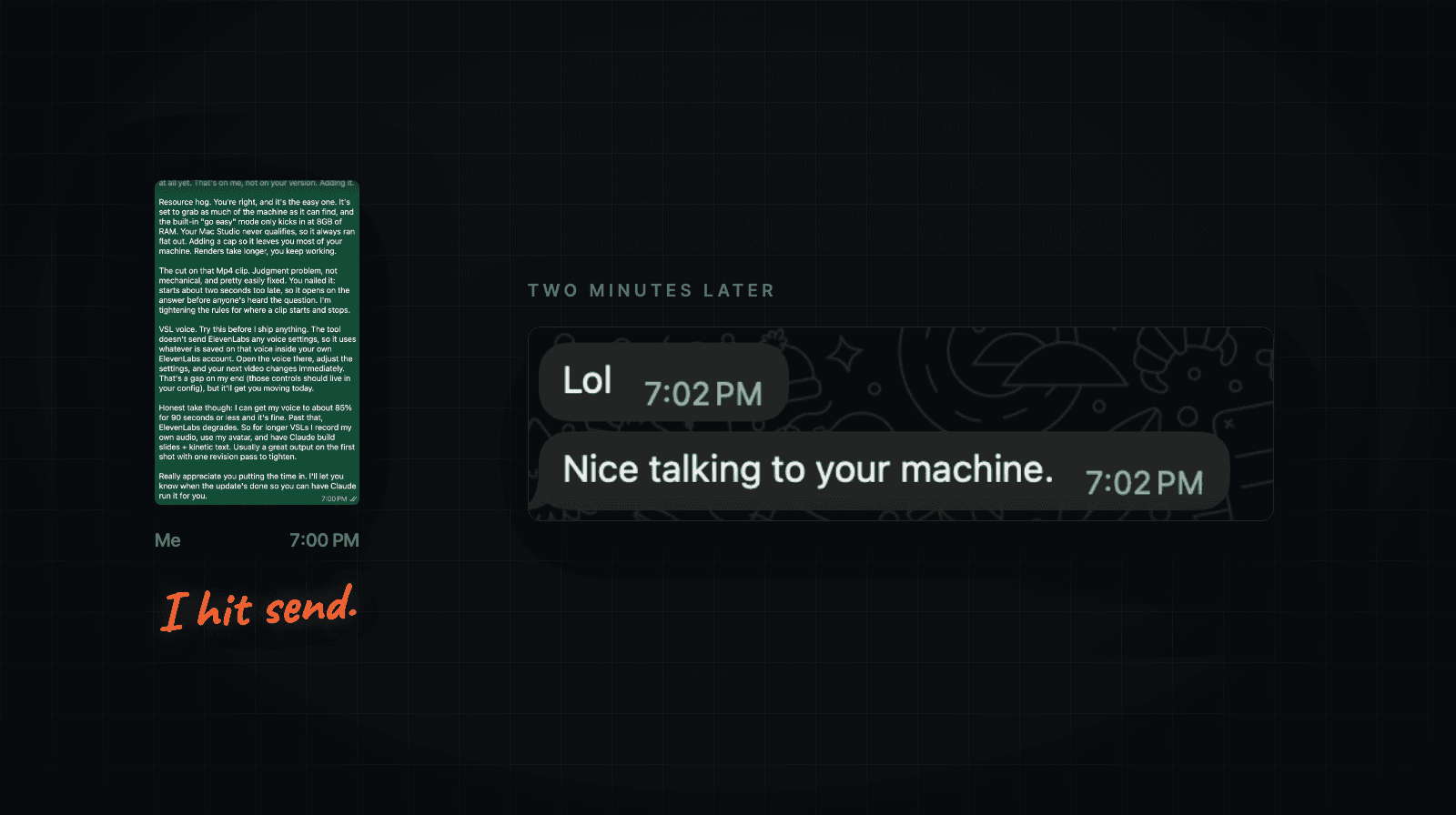
How to Get Better Work From Your AI Agents Without So Much Back-and-Forth
A practical way to find outdated instructions, unnecessary interruptions, and the mistakes that keep costing you time and tokens.

I’ve been getting frustrated with my AI agents lately.
The models keep getting better. Some of the work I’m getting back... doesn’t.
Writing is a good example. I’ve given my agents a voice guide, examples of my content, and more corrections than I care to count. They know the audience. They know the business.
Then I get a draft back, and we’re right back to...
Dude. WTF??? I don’t talk like that.
It’s organized. It covers the subject. It has all the things I asked for.
I just wouldn’t say half of it.
So we go back and forth. I explain what I meant. It tries again. Sometimes it improves. Sometimes it fixes one thing and screws up something else.
Which is annoying enough. But every revision also uses more tokens, and I still have to sit there managing the process.
I wanted help getting the work done. Somehow I keep finding more work to do.
A lot of these systems were built six to nine months ago. I’ve updated the models since then, but I’ve also kept adding instructions whenever something went wrong.
I’m starting to question whether all of those instructions are still helping.
If you’re running into this too, I’m going to give you a way to look through an existing workflow, find what might be causing problems, and test a change without breaking everything that already works.
There’s a prompt you can copy below. We’ll use writing as the example, but the same approach applies to research, follow-up, reporting, and other work your agents handle.
Start with the job that keeps needing your help
Pick something your agent already does. Preferably something you find yourself correcting or restarting on a regular basis.
Save a recent example of the work and make a note of what you had to do yourself.
Be specific.
“The draft didn’t sound like me” is a start. “I rewrote the opening, removed five forced jokes, and explained the main point again” gives you something you can investigate.
You might discover that the output is fine. The problem is that the agent keeps stopping until you tell it to continue.
Or it says the work is done, but later you find out something never happened.
I’ve been talking about this with my old friend Mike. Dude is smart, has a successful business with 50+ digital products.
To help him run it, he’s built a pretty sophisticated setup... including research routines, content tools, and workflows for preparing coaching material.
He’s already got useful skills and business information connected. He doesn’t need someone telling him to try AI.
But he says he’s still the one coordinating the work between the different pieces. And one of his routines stopped updating without notifying him. He found it himself like a month later.
That’s a different problem from bad writing. Removing a few instructions won’t necessarily fix a job that never started.
Before you change anything, find out where the process is actually going wrong.
Have the agent show you what it’s doing
Use the agent that can access the files and tools for the workflow you want to review. If it can’t see something, it needs to tell you that.
Give it this prompt, with the blanks filled in:
I want to improve this workflow: [describe the job].

Its instructions and working files are here: [give the locations].

Here’s a recent example: [provide the input, output, and any available record of the run].

Here’s what I had to correct or do myself: [explain].

A good result should look like this: [describe it or provide an approved example].

Review the workflow without changing or running anything. Don’t edit files, change permissions, spend money, or contact anyone.

Show me:

- Which instructions, skills, business information, and tools it uses. Point to the actual files or records. If you can see what it is configured to use but can’t confirm what it used during this run, say so.
- Any conflicting instructions, repeated rules, outdated information, or material that doesn’t seem relevant to this job. Show me the specific examples.
- Where it stops for my input, what starts the next step, and where the finished work goes.
- How it checks the result and how I find out if the work fails or never starts.

Recommend one small change to test first. Explain why, what we’ll compare, and how to undo it. Keep business facts, privacy protections, safety rules, and approval requirements intact.

Separate what you found from what you suspect. If you can’t inspect something, mark it unknown. Wait for my approval before making changes.
Give it access only to information it’s allowed to use. If you’re trying this in a new tool, start with a sample that doesn’t contain private customer information.
Then read what comes back.
You want findings you can check. For example, it might show that one file tells the agent to save drafts in one folder while another tells it to use a different folder.
Okay... now you’ve got something specific to fix.
If it comes back saying your workflow needs to be “more streamlined,” push back.
“Yo... which part? Show me what’s wrong.”
I can get vague advice for free. That’s not what we’re doing here.
Some old instructions may be making the work worse
This is the part that got my attention in Miles’s recent AI Edge video.
He references an interview with Boris Cherny, the creator of Claude Code. Cherny explains that they revisit the prompts and tools around the model when a new model comes out. Instructions that helped a previous model may not work as well with the next one.
They test removing instructions and find out what the model still needs.
That makes sense to me. Some of the rules in our setups were written because an older model couldn’t reliably do something on its own.
We upgrade the model, but keep telling it to work the same way.
With writing, that can get ridiculous. You start with “be conversational,” then add rules about sentence length, punctuation, humor, transitions, and how every section should be structured.
Eventually, the agent has a very detailed set of instructions for sounding natural.
And it sounds anything but natural. lol
That doesn’t prove the rules caused the problem. But it’s worth trying the same assignment without some of them and seeing what happens.
If you’ve read 13 Tells Your Content Reeks of AI, you know how much these patterns bother me. I spent a lot of time editing that issue until it actually sounded like me.
Those finished examples are valuable. They show the agent what I mean when I say I want something casual, useful, and easy to read.
A long list of adjectives doesn’t do that nearly as well.
Try a simpler version of the same assignment
Keep the current setup so you can go back to it. Make a separate test version.
For a writing workflow, keep the same model, the same assignment, the relevant business information, and the same safety and approval rules.
Then change one thing the audit identified. If it found a bunch of mechanical style rules that seem to conflict with your examples, test the assignment without that group of rules.
Give it a clear brief and a few pieces of writing you’ve actually approved.
For example, the brief might say:
Write for business owners who already use AI agents. Explain why older instructions may need to be reviewed as models improve. Show the reader how to inspect one workflow and test a change. Use the attached writing examples for voice. Keep the explanation simple, and don’t invent experiences or results.You don’t need to explain how to write every sentence. You do need to explain what the article is supposed to accomplish.
Run both versions in fresh conversations. Make sure the test version really is using the changed instructions. Opening a new chat doesn’t help if it automatically loads the old guide again.
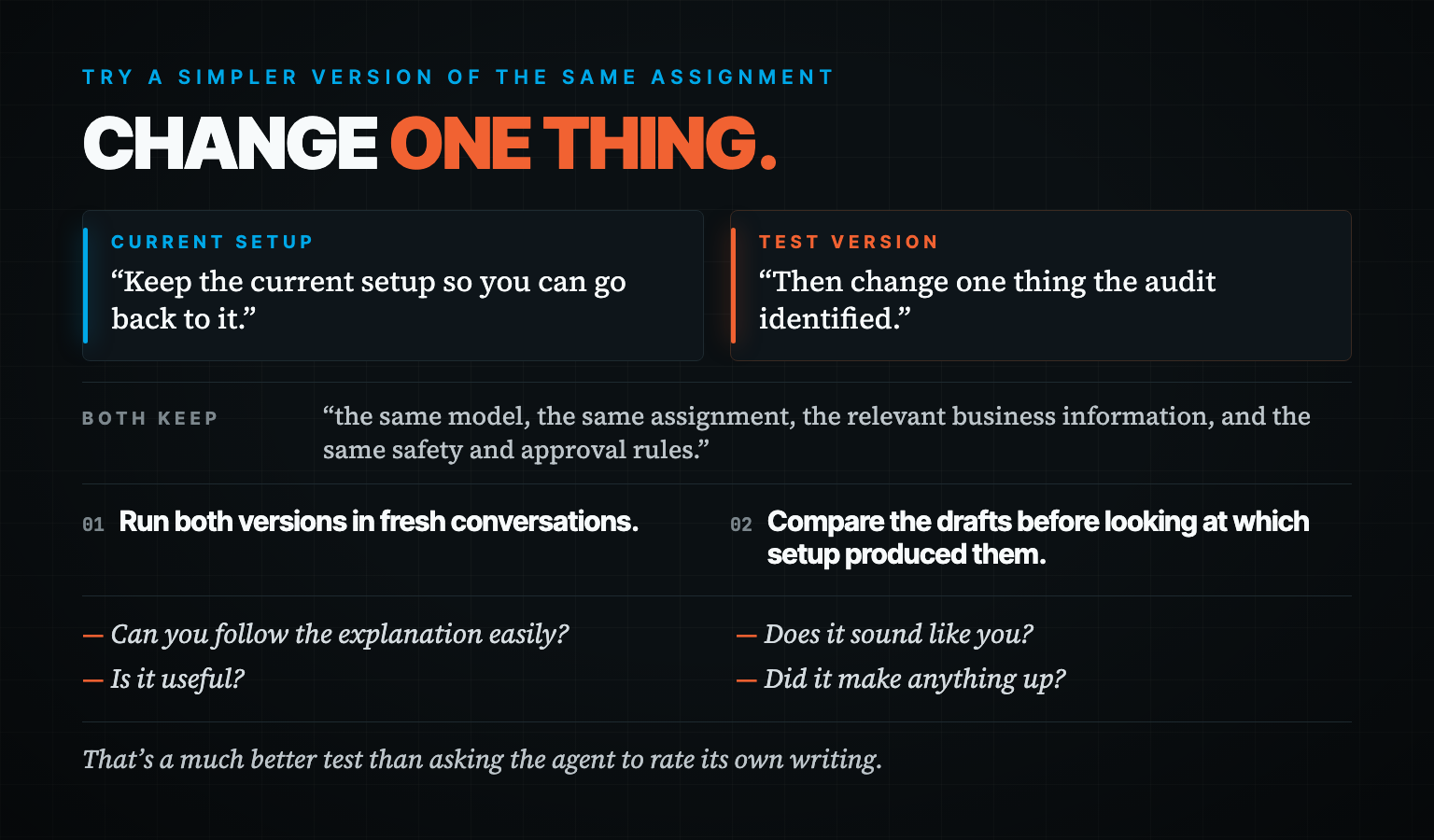
Compare the drafts before looking at which setup produced them.
Read them like a reader. Can you follow the explanation easily? Does it sound like you? Is it useful? Did it make anything up?
Then edit each one to the point where you’d use it and keep track of your time.
That’s a much better test than asking the agent to rate its own writing. Mine generally seems pretty pleased with itself.
Good for you, dude. I still have to edit it.
Do this with a few different assignments, including a difficult one. If the simpler setup consistently gives you better work with less editing, keep it. If important things go missing, restore the instructions that helped.
I haven’t finished that comparison on my own writing setup yet. I’m sharing the test I want to run, not telling you I’ve already found the cure.
Keep the information it actually needs
I still want my agents to understand my business.
That’s why I wrote Your AI Agent Is Only As Smart As The Brain You Give It, and put together the AI Business Brain guide.
Your offers, customers, examples, and standards matter. Keep them.
But the agent doesn’t need to read everything you’ve ever saved before doing every job.
If it’s writing a newsletter, it needs the brief, the source material, relevant business information, and examples of your writing. It probably doesn’t need the troubleshooting instructions for your video software.
Let it look up additional information when the task calls for it.
Also, check whether the information agrees with itself. If two files have different prices for the same offer, fix that. Don’t leave the agent to guess which one you meant.
You can waste a lot of time correcting work that started with the wrong information.
Decide where you actually need to be involved
Once the output is useful, look at the places where the agent waits for you.
In his No Priors interview, Andrej Karpathy says:
“You can’t be there to prompt the next thing.”
—Andrej Karpathy
He’s discussing coding and research agents, but the idea applies to business work too. If you’re initiating every step, the process still depends on you being there.
I want to help develop the idea for this newsletter. I want to edit it, add my opinion, and decide when it’s ready.
That’s time well spent.
But once the copy is approved, I don’t want to keep explaining where to save it or what information the creative agent needs.
We’ve already decided that. Go do it.
Write down what can happen after your approval, what the next person or agent needs, and where the work should be saved. Be equally clear about where the agent should stop.
For this newsletter, preparing an image brief is fine. Spending money on production or publishing without my approval isn’t.
The system also needs an actual way to start the next job and keep track of it. Telling an agent to “handle everything” won’t create that for you.
This is part of what I covered in the letter about stacking leverage. Connecting the work matters. Otherwise, you can have several useful agents and still be the person reminding each one when it’s their turn.
Check that the work happened
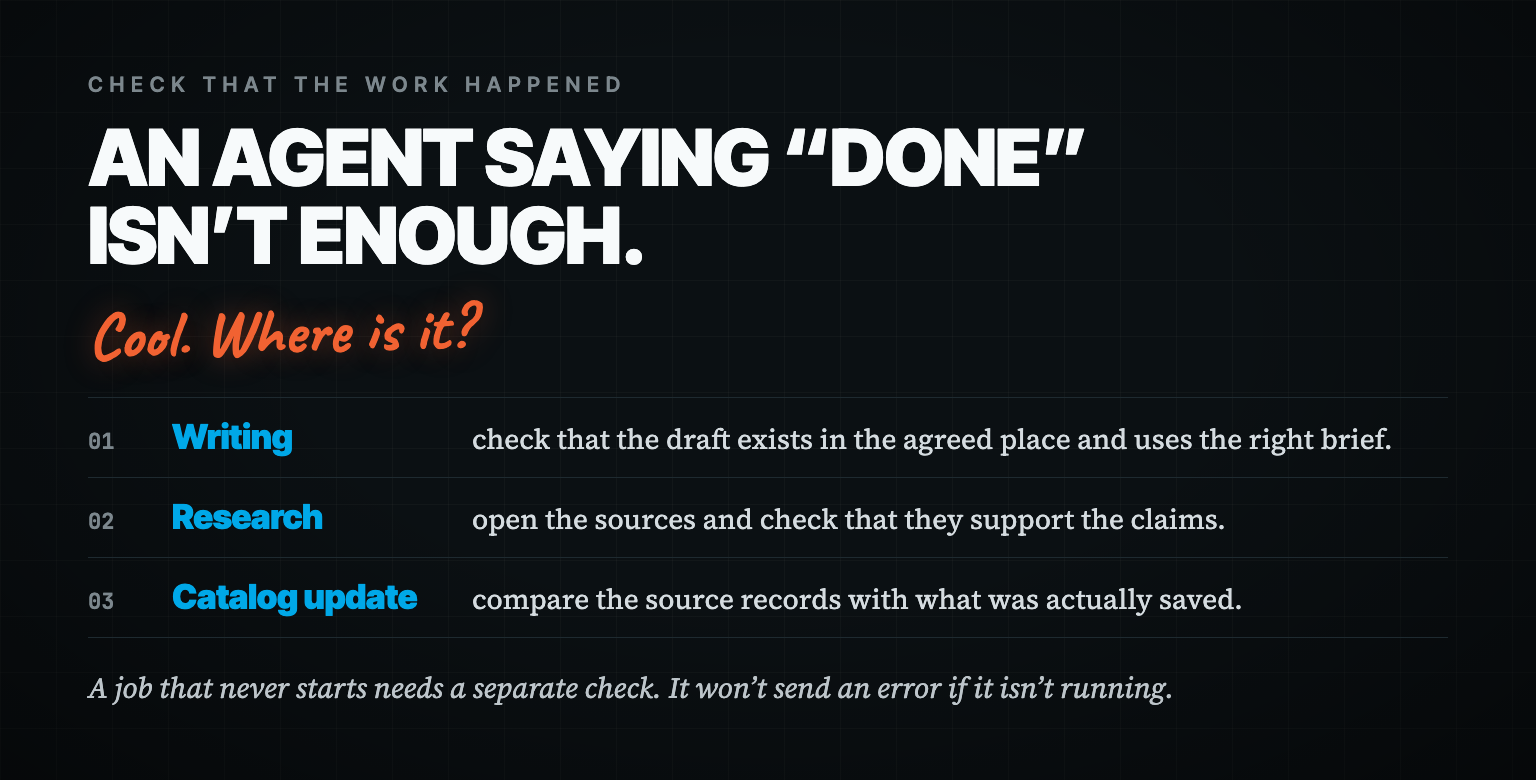
An agent saying “done” isn’t enough.
Cool. Where is it?
For a writing job, check that the draft exists in the agreed place and uses the right brief. For research, open the sources and check that they support the claims. For a catalog update, compare the source records with what was actually saved.
Use ordinary code for checks that don’t require judgment, like confirming a file exists or catching duplicate records. Use the agent where it needs to interpret information.
And keep your own taste involved where it matters. Software can confirm that a newsletter has a headline and a P.S. It can’t settle whether you actually want to put your name on it.
Test what happens when something goes wrong, too.
Use a safe copy of the workflow and make a required input unavailable. Check whether it tells you what happened. Set a limit on retries so it doesn’t spend all afternoon repeating the same failed attempt.
Then restore the input and check that it can recover without duplicating the work.
A job that never starts needs a separate check. It won’t send an error if it isn’t running. Set up something that checks whether the expected result arrived and alerts you if it’s missing.
That’s the kind of thing we’d need to inspect in Mike’s setup. His report tells us there’s a problem to investigate. It doesn’t tell us the cause yet.
Find out whether the change was worth it
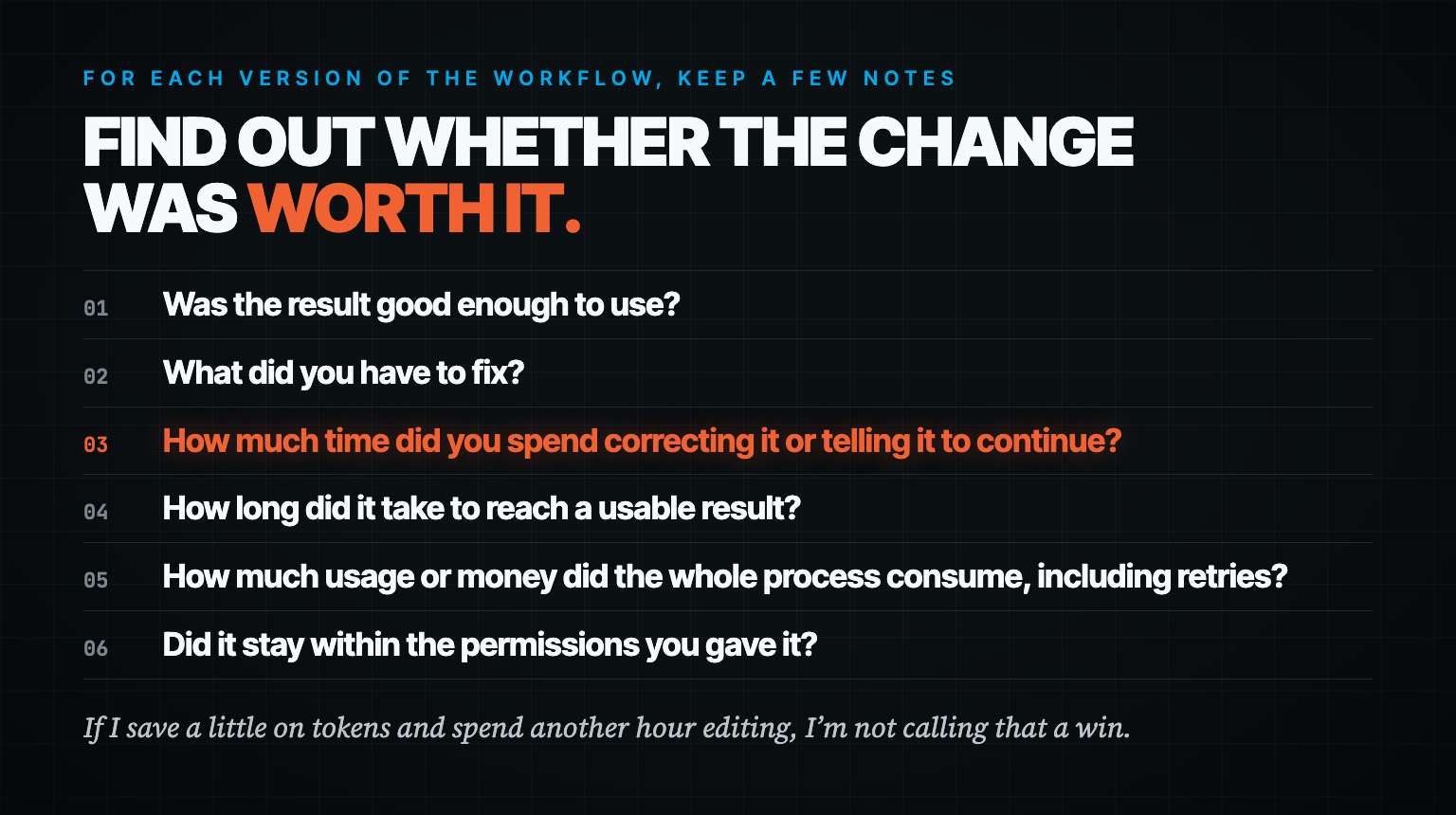
For each version of the workflow, keep a few notes:
Was the result good enough to use?
What did you have to fix?
How much time did you spend correcting it or telling it to continue?
How long did it take to reach a usable result?
How much usage or money did the whole process consume, including retries?
Did it stay within the permissions you gave it?
If your tool doesn’t show reliable usage numbers, leave that part blank. You can still compare the quality and your time. Don’t let the agent invent a savings estimate.
Fewer instructions can reduce what the model reads, but that doesn’t guarantee a cheaper run. It could spend longer trying different approaches. Give the test a time and usage limit you can live with.
What I care about is getting work I can use without spending as much of my day fixing it.
If I save a little on tokens and spend another hour editing, I’m not calling that a win.
And if the old setup works better, keep it. You learned something. That’s the point of trying this on a copy before changing the thing you use every day.
Try it on one workflow this week
Pick the one that keeps annoying you. Run the audit. Read what it finds, and choose one change worth testing.
You don’t need to reorganize your whole business to do this.
And y’all... please don’t start by deleting every skill you’ve built over the last year. Going scorched earth on your setup ain’t the answer.
Some of that stuff probably works. Let’s keep that part.
Reply and tell me what you find, especially if you’ve got a workflow that does good work but still needs you involved in every little step. Those are the examples I’d want to work through in a live session.
I’m going to keep working on the writing. I like having AI help me think through an idea and get a draft together.
I’d just like to spend less time telling it, “Dude... I don’t talk like that.”
Here’s to getting some of that time back,

—Tim Erway

P.S. Save an example of the mistake before you add another instruction to fix it. Then run that example again after the change. If the work gets better, you’ve learned something useful. If all you have is a longer instruction file, keep looking.